Starter
29 dollars per month
- Up to 5 products
- 30-day data window
- Email support, 24-hour response
We could not finish setting up your SellerPulse account. Open SellerPulse again from your AWS Marketplace subscription, or email support@waltsoft.net and we will help.
SellerPulse turns your AWS Marketplace seller data into MRR, ARR and ARPU, traces each payout from invoice to bank wire, and flags churn risk. It deploys into your own AWS account.
Available in AWS Marketplace
Purchase this listing from Waltsoft Inc. in AWS Marketplace using your AWS account. In AWS Marketplace, you can quickly launch pre-configured software with just a few clicks. AWS handles billing and payments, and charges appear on your AWS bill.
Plans from $29 a month, per AWS account. Prefer to see it first? Watch the 55-second tour
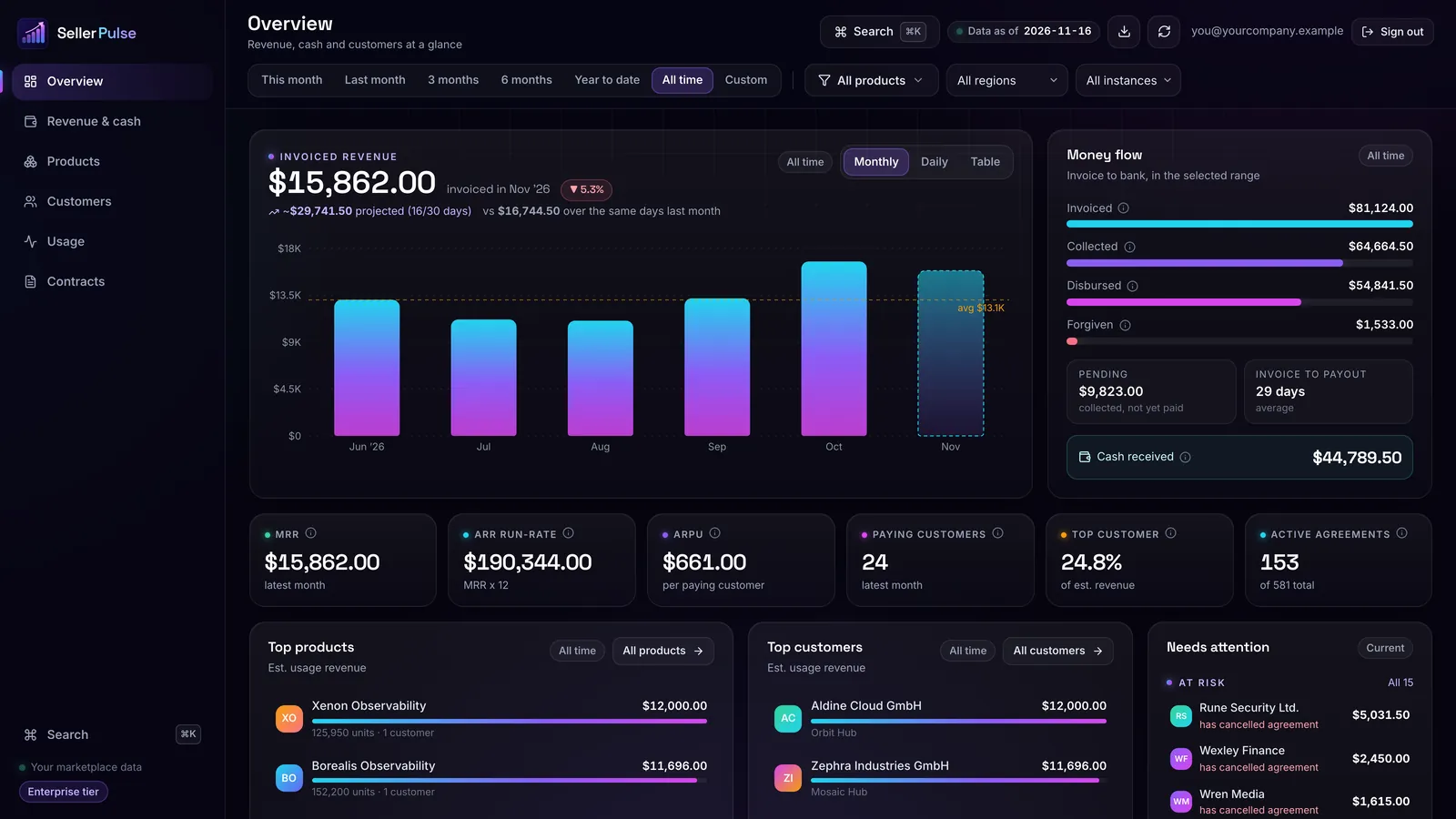
Sample data. Not a real account.
Your seller data arrives in S3 as CSV feeds, and the feeds only ever append. When an invoice changes, AWS adds a new row instead of editing the old one, so a plain sum counts some of your money twice.
SellerPulse reads the feeds the way AWS documents them, works out the numbers the seller portal does not, and checks every bank wire against the released share less AWS's fee.
Matches the bankUnexplained difference: $0.00
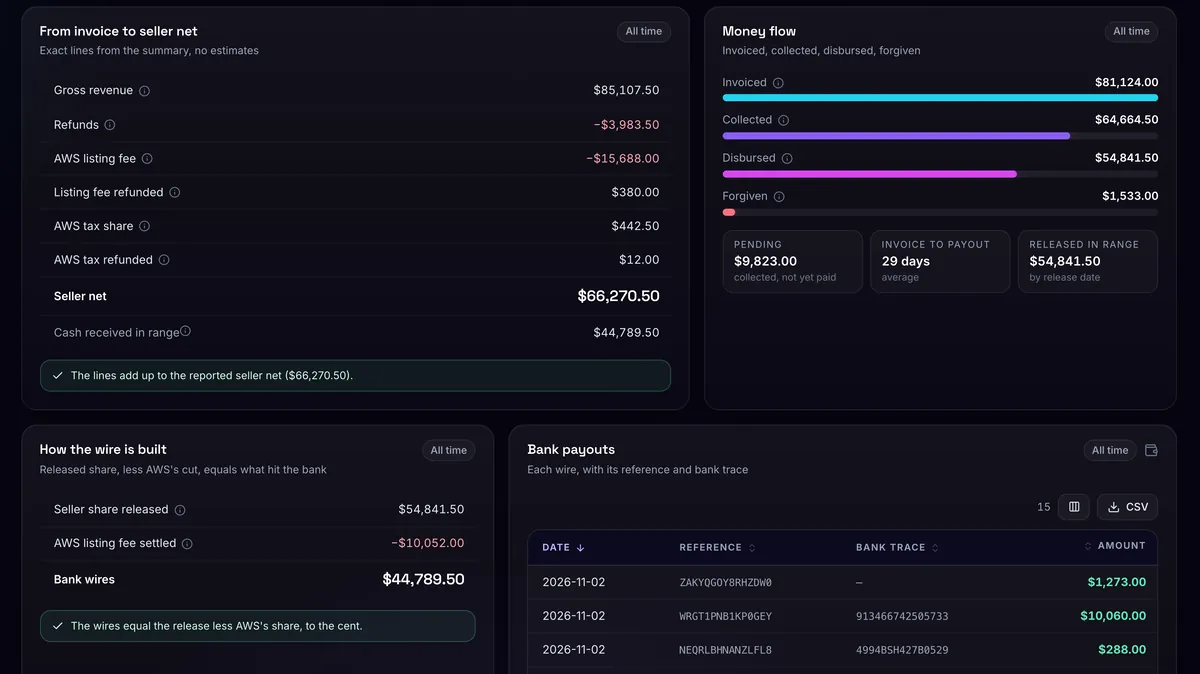
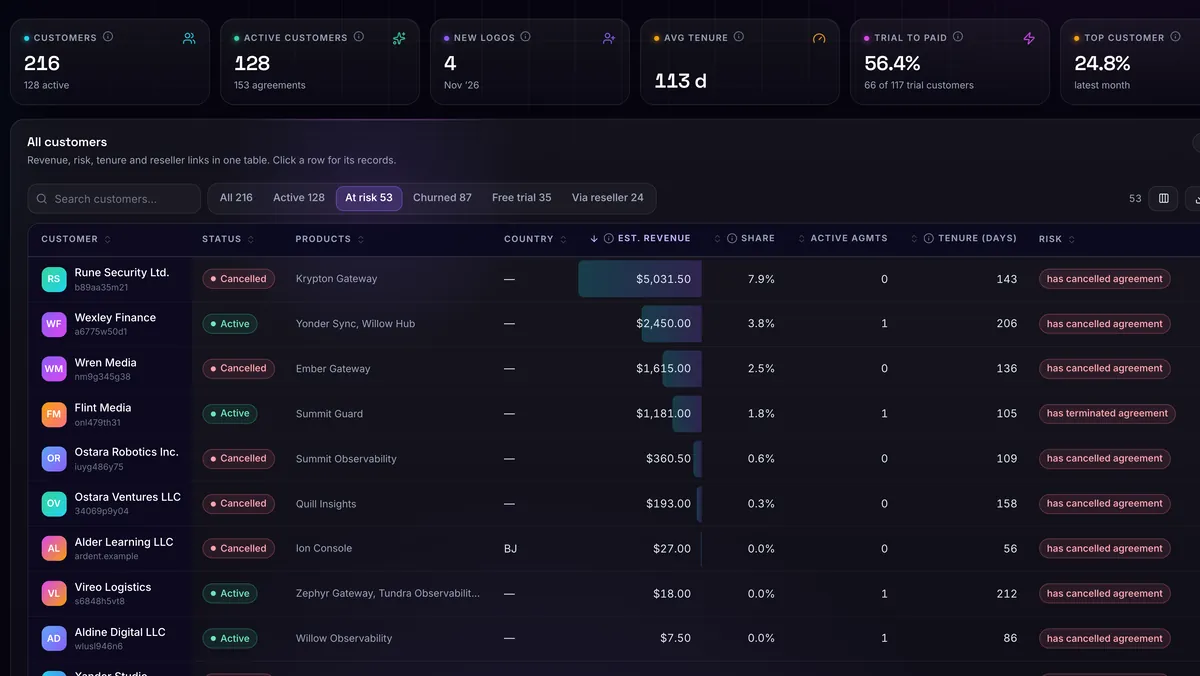
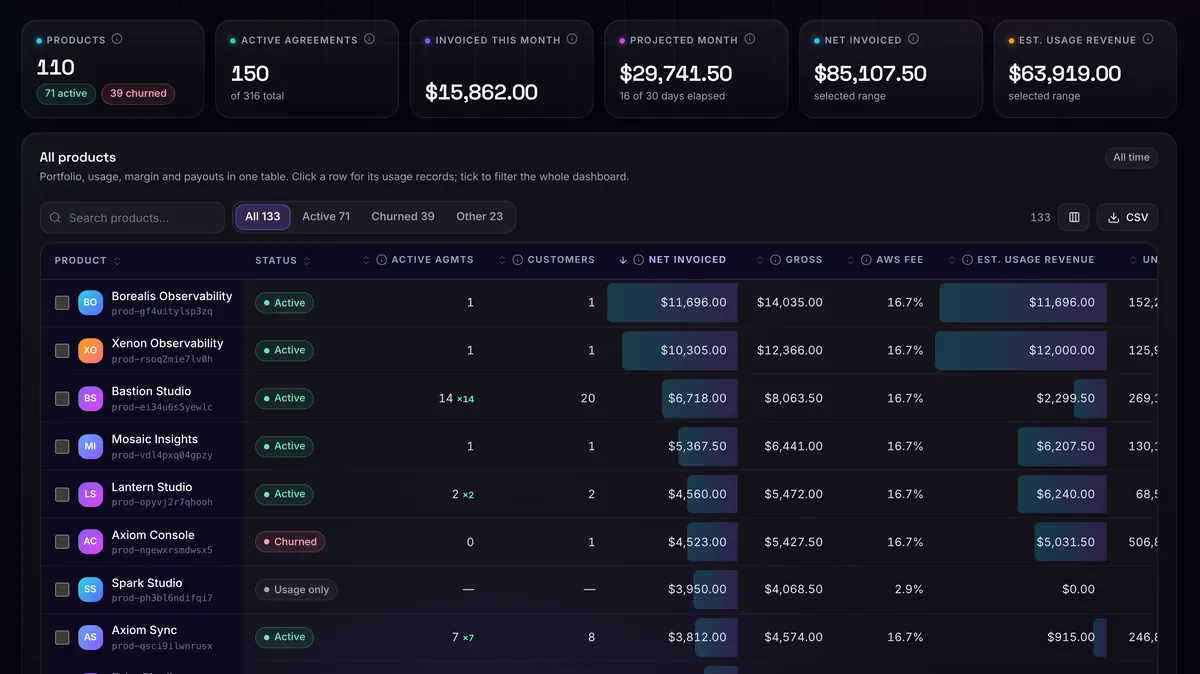
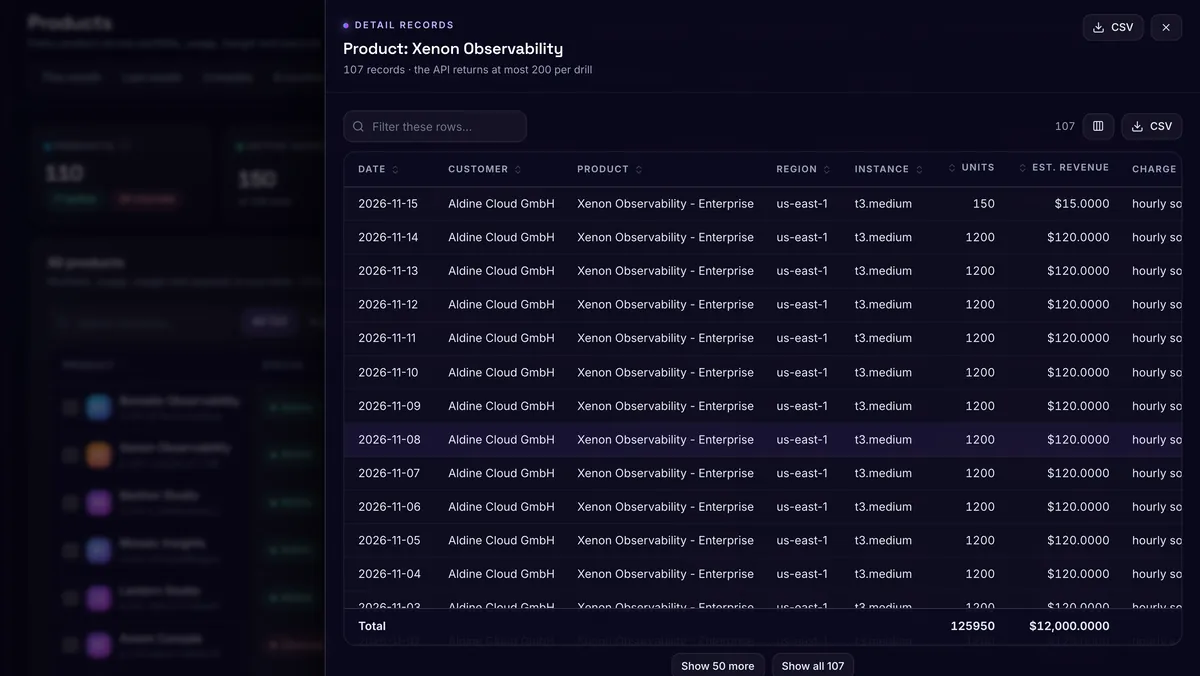
Revenue, payouts, churn and tax in one dashboard. The screens show sample data.
Subscribe on AWS Marketplace. AWS then opens the SellerPulse setup page, where you choose Starter, Pro or Enterprise and get your license key.
In the AWS Marketplace Management Portal, open Set up customer data storage so AWS can deliver your seller data feeds. AWS needs about 24 hours to deliver your first data.
Launch the one-click CloudFormation stack. It creates your sign-in, dashboard site and data connector in your AWS account in about 3 minutes.
Sign in with the admin email you chose and see your numbers. Check revenue on the go with the iOS companion app.
The connector needs read access to your seller data feeds.
The stack creates your own sign-in, dashboard site and data connector in your AWS account.
The connector reads your seller data feeds with a read-only, least-privilege IAM role that the stack creates.
Delete the stack at any time to end that access.
Data is encrypted in transit.
Per AWS account, billed through AWS Marketplace.
AWS Marketplace lists the three plans as usage rates. You choose your plan on the SellerPulse setup page right after you subscribe, and you are billed for that one plan only. Starter is selected until you choose another. On the 1st of each month SellerPulse sends AWS one charge for your plan, and you can change your plan at any time.
Refund policy: no refunds, all sales are final.
SellerPulse is a revenue, payout, churn and tax analytics dashboard for AWS Marketplace sellers. It brings your seller reports together, works out MRR, ARR and ARPU, and shows churn risk and customer concentration.
Independent software vendors, consulting partners, and revenue or finance teams that sell on AWS Marketplace and want clear revenue visibility, faster payout reconciliation and early warning on churn.
AWS provides your seller data and reports. SellerPulse brings that data together and calculates what the seller portal does not: MRR, ARR, ARPU, customer concentration and churn risk. It also checks each bank wire against the released share less AWS's fee and shows any unexplained difference.
Subscribe on AWS Marketplace, then launch the one-click CloudFormation stack. It creates your own sign-in, dashboard site and data connector in your AWS account. Setup takes about 3 minutes.
The connector reads your seller data feeds with a read-only, least-privilege IAM role that the stack creates in your account. Delete the stack at any time to end that access.
After you enable data delivery in AWS Marketplace, AWS needs about 24 hours to deliver your first data, so allow that long for the dashboard to fill.
Starter is $29 a month for up to 5 products and a 30-day data window. Pro is $99 for up to 50 products and a 365-day window. Enterprise is $249 for unlimited products and data history, with priority support. Plans are monthly, per AWS account, and you are billed for one plan.
AWS Marketplace lists the three plans as usage rates, so you do not pick one on the AWS page. Right after you subscribe, AWS opens the SellerPulse setup page, where you choose Starter, Pro or Enterprise. Starter is selected until you choose another. You are billed for one plan only, and you can change it on that page at any time. SellerPulse sends AWS one charge on the 1st of each month, for the plan saved at that time. To return to the page later, open SellerPulse from your AWS Marketplace subscription, or email support@waltsoft.net.
Cancel your subscription in AWS Marketplace, under Manage subscriptions. Deleting the connector stack ends its access to your seller data but does not cancel the subscription, so cancel in AWS Marketplace to stop future charges.
The plan price is the only SellerPulse charge. The connector stack runs in your own AWS account, so the AWS services it uses (Lambda, API Gateway, CloudFront, Cognito and S3) are billed to your account at AWS rates, in addition to your plan.
Yes. An iOS companion app lets you check revenue on the go. You can find it on the App Store.
Email support@waltsoft.net. Starter and Pro include email support with a 24-hour response. Enterprise includes priority support with a 4-hour response.
Subscribe on AWS Marketplace and have your dashboard running in about 3 minutes, then allow about 24 hours for your first data.